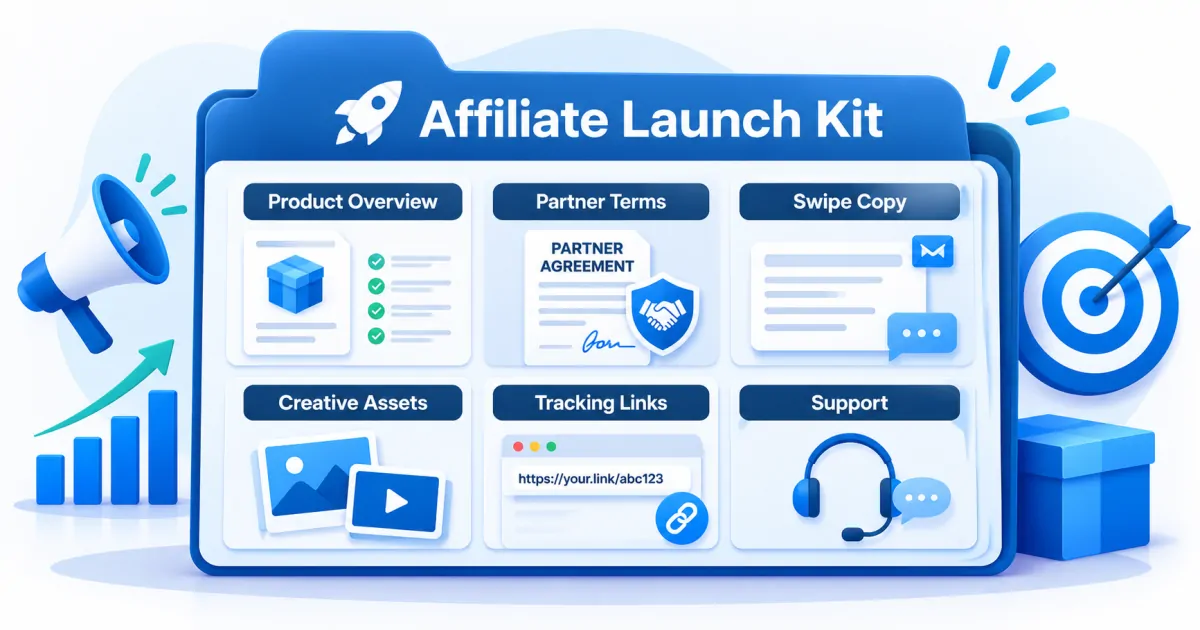
An affiliate launch kit is a collection of information and promotional materials that helps partners understand and promote your digital product. It gives affiliates a consistent starting point instead of making each person request product details, images, links, and copy separately.
You do not need a large resource library to prepare one. Start with accurate product information, clear partnership terms, usable promotional assets, and instructions for getting help. The goal is to make the product easier to evaluate and the promotion process easier to understand.
What Is an Affiliate Launch Kit?
An affiliate launch kit is a set of resources prepared for people who agree to promote your product through an affiliate or partner arrangement.
It usually works alongside an affiliate program and a dedicated partner page. The partner page explains the offer and the arrangement. The launch kit provides the supporting materials affiliates may need when preparing their own promotions.
A kit can be a folder of downloadable files, a section inside a partner portal, or a collection of resources linked from your partner page. The format matters less than whether the information is accurate, accessible, and organized.
A typical kit may contain:
- A product overview.
- Audience and positioning notes.
- Partnership terms.
- Short and long product descriptions.
- Email and social media swipe copy.
- Product images and screenshots.
- Sales page and referral links.
- Frequently asked questions.
- Contact and support instructions.
Not every product needs every asset. A software product may benefit from screenshots and a demonstration. An ebook may need a cover image, a description, and a preview of its contents.
Build around the materials that genuinely help someone explain your offer.
The Essential Components of an Affiliate Launch Kit
A useful kit answers the questions an affiliate is likely to ask before sharing your product.
1. A clear product overview
Start with a short document that explains the product without relying on promotional language alone.
Include:
- Product name and format.
- Intended audience.
- The problem or task it addresses.
- Main features and practical uses.
- Important requirements or limitations.
- Current price and checkout destination, where appropriate.
Make the description specific enough for someone unfamiliar with the product to understand it.
For example, describing a product as "a digital toolkit for creators" leaves several questions unanswered. Explain what kind of creators it is designed for and what the toolkit contains.
Keep the information consistent with your main sales page. If the product description, price, or features change, update the kit as well.
2. Audience and positioning notes
Affiliates need to decide whether your product is relevant to the people they communicate with. Give them enough context to make that decision.
Useful notes include:
- Who is most likely to find the product relevant.
- What situation or problem may lead someone to consider it.
- What the product helps the user do.
- What the product does not do.
- Which features deserve the most attention.
Do not describe every possible person as the ideal customer. A narrow, accurate audience description is more useful than a broad statement that the product is suitable for everyone.
Your positioning should also match the language used on the sales page. If you need to refine that message, use the framework in Digital Product Positioning.
3. Partnership terms
Provide a clear explanation of the affiliate arrangement.
Depending on your program, this may cover:
- Commission structure.
- Which purchases qualify.
- Whether recurring payments are included.
- Referral tracking arrangements.
- Payment process and schedule.
- Any relevant eligibility conditions.
- Where affiliates can review the full terms.
Do not invent details to make the program appear more attractive. If you have not finalized a payment schedule or commission rule, resolve it before distributing the kit.
The information should be easy to find. Affiliates should not have to search through several documents or contact you to understand the basic arrangement.
4. Promotional copy and swipe files
Swipe copy gives affiliates a starting point for writing their own promotions. It can reduce the amount of product research they need to do before deciding how to present the offer.
Consider preparing:
- A short product description.
- A longer product description.
- An email announcement example.
- A short social media post.
- A longer promotional post.
- A list of product features.
- Suggested calls to action.
Keep each example factual. Avoid unsupported claims, invented testimonials, or statements about outcomes that you cannot substantiate.
Make it clear that swipe copy is optional material to adapt, not a requirement to publish identical messages. Affiliates should use their own voice and follow the rules that apply to their communication channels.
5. Images and other creative assets
Visual materials can help affiliates explain what they are promoting.
Depending on your product, prepare:
- Product cover images.
- Website or application screenshots.
- Feature graphics.
- Product mockups.
- Demonstration images.
- Approved logos or brand assets.
Use descriptive filenames and sensible dimensions. If you provide several versions of an image, label them clearly so affiliates can identify the appropriate file.
Do not include outdated screenshots or graphics that show features no longer available. Review the assets whenever the product interface or offer changes.
6. Referral links and tracking instructions
Explain how affiliates access and use their referral links.
Your instructions should answer:
- Where to obtain a referral link.
- Which sales page or destination the link opens.
- How to use the link in promotional content.
- Where referral activity can be reviewed, if reporting is available.
- How to report a link or tracking problem.
Only describe tracking behavior that your affiliate setup actually supports. Do not promise specific attribution periods, reporting details, or tracking capabilities without verifying them.
A short set of instructions with a working example is often more useful than a technical explanation.
How to Assemble Your Affiliate Launch Kit
You can build the kit in stages. This makes it easier to identify missing information before inviting affiliates to use the materials.
Step 1: Review the offer
Start with the product itself, not the promotional files.
Check that the product description, audience, price, checkout page, delivery process, and customer support information are consistent.
Review your digital product launch checklist if you need to check the wider launch setup.
Do not prepare promotional copy around features or terms that are still uncertain.
Step 2: Finalize the partner page
Create a dedicated page that explains the partnership and links to the relevant resources.
The page should cover the product, partner terms, referral instructions, promotional materials, and contact information.
The Digital Product Partner Page guide covers how to organize that page and what potential partners need to know.
Step 3: Create the core documents
Prepare the product overview, audience notes, partnership terms, and promotional copy.
Keep these documents separate if they serve different purposes. For example, an affiliate may want to download a short product description without opening a larger guide.
Use consistent product names and terminology across every file.
Step 4: Organize the assets
Create a simple folder structure so affiliates can find what they need.
For example:
| Folder | Contents |
|---|---|
| Product Information | Overview, features, audience notes, FAQ |
| Partner Terms | Commission details, eligibility, program terms |
| Swipe Copy | Email examples, social posts, product descriptions |
| Creative Assets | Logos, images, screenshots, mockups |
| Links and Instructions | Sales page, referral link instructions, tracking help |
The exact structure can vary. Avoid creating folders that contain only one unclear file or using filenames that require explanation.
Step 5: Test the kit as an affiliate
Before sharing the resources, review the experience from the perspective of someone who has never seen your product.
Ask:
- Can I understand the product without asking the owner?
- Can I identify the intended audience?
- Are the partnership terms easy to locate?
- Can I find the promotional assets?
- Are the referral instructions understandable?
- Do the links work?
- Is there a clear contact method for questions?
If possible, ask someone unfamiliar with the offer to review the kit. Their questions may reveal gaps that you overlooked because you already know the product.
Common Affiliate Launch Kit Mistakes
A large collection of files does not automatically make a useful kit. Pay attention to the quality and accuracy of the materials.
Providing too much information
A folder filled with lengthy documents can make it difficult to find the essentials.
Prioritize the product overview, partnership terms, promotional copy, creative assets, and referral instructions. Add supporting resources only when they serve a clear purpose.
Using vague promotional language
Words such as "powerful," "revolutionary," or "complete" do not explain what a product actually does.
Give affiliates concrete product details they can use to describe the offer accurately. Specific features and practical uses are more helpful than generic adjectives.
Leaving out limitations
If the product has requirements, compatibility conditions, or other limitations, explain them.
Affiliates need to understand what customers should expect. Leaving out relevant details can create confusion after someone visits the sales page or purchases the product.
Forgetting to update the materials
A kit can become inaccurate when prices, features, links, or terms change.
Assign responsibility for reviewing the materials. Remove outdated files rather than leaving several versions in the same folder without explaining which one is current.
Treating the kit as a substitute for communication
Documentation answers common questions, but it does not replace partner support.
Make it possible for affiliates to contact you when they encounter a problem or need clarification. A clear contact process is part of the launch preparation.
Affiliate Launch Kit Checklist
Use this checklist before making your resources available to partners.
- [ ] Product overview is accurate and easy to understand.
- [ ] Intended audience and positioning are documented.
- [ ] Product features and limitations are explained.
- [ ] Partnership terms are finalized and accessible.
- [ ] Commission and payment information is clear.
- [ ] Short and long product descriptions are available.
- [ ] Email and social media swipe copy are prepared.
- [ ] Product images and screenshots are current.
- [ ] Sales page and referral links are correct.
- [ ] Tracking instructions match the actual setup.
- [ ] Frequently asked questions cover common issues.
- [ ] Support contact information is included.
- [ ] Files are organized with descriptive names.
- [ ] Outdated materials have been removed.
- [ ] The complete kit has been tested from an affiliate's perspective.
Key Takeaways
- An affiliate launch kit gives partners the information and materials they need to evaluate and promote a digital product.
- Start with accurate product information, audience notes, and finalized partnership terms.
- Provide practical swipe copy, creative assets, referral instructions, and support details.
- Organize files so affiliates can find the right resource without unnecessary searching.
- Review the kit whenever the product, offer, links, or partnership terms change.