
A digital product launch involves more than publishing a sales page and announcing that your product is available. Before launch, you need a working product, a clear offer, a reliable way to accept payments, and a process for delivering and supporting what you sell.
This digital product launch checklist covers the essential preparations for ebooks, software and SaaS products, courses, templates, scripts, and digital services. Use it to identify gaps before inviting customers or partners to promote your offer.
1. Digital Product Launch Checklist: Make Sure the Product Is Ready
Start with the product itself. A launch cannot compensate for an incomplete product or a delivery process that does not work.
Your product does not need every feature you might eventually build. It does need to deliver what the offer promises.
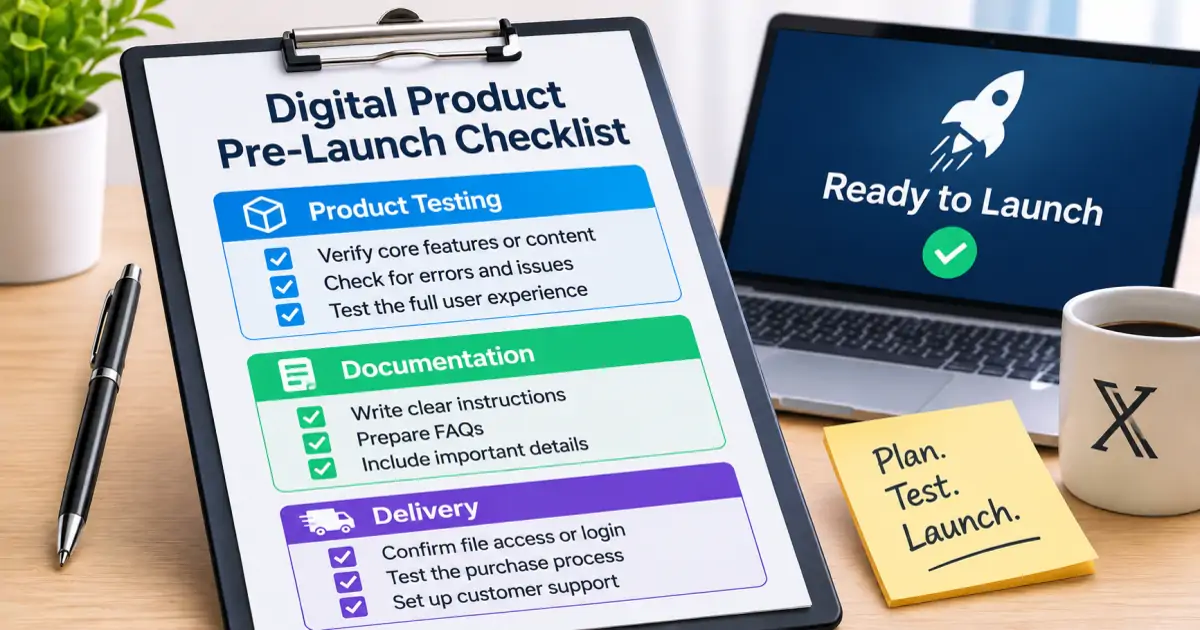
Review these points before moving forward:
- [ ] The product has a defined purpose and intended audience.
- [ ] The core features or content are complete.
- [ ] Instructions explain how to access and use the product.
- [ ] Files, downloads, or account access work as expected.
- [ ] Important limitations are documented.
- [ ] You have tested the product from a customer's perspective.
- [ ] You know how customers can contact you if something goes wrong.
The exact checks depend on what you sell.
| Product type | What to check before launch |
|---|---|
| Ebook or guide | File formatting, links, readability, and download access |
| Software or SaaS | Installation, core functions, compatibility, and error handling |
| Course | Lesson access, video playback, supporting files, and navigation |
| Template | File integrity, instructions, and compatibility with required software |
| Script | Installation steps, dependencies, and documented limitations |
| Digital service | Scope, deliverables, communication process, and completion criteria |
For software, test the main workflow rather than relying only on whether the application opens. For an ebook, check the exported file on more than one device or reader. For a template, make sure a new user can understand how to use it without relying on undocumented instructions.
Also decide what happens after the initial purchase. Some products require updates, maintenance, or occasional technical support. Others are delivered once and need little ongoing work. Be clear about the level of maintenance you can realistically provide.
2. Define the Offer Before You Build the Sales Page
A product and an offer are not the same thing.
The product is what the customer receives. The offer explains what is included, who it is intended for, what problem it addresses, and the conditions attached to the purchase.
A useful offer should answer five questions:
- Who is it for? Describe the type of person or business most likely to benefit from the product.
- What problem does it address? Explain the practical situation the product is designed to help with.
- What does the buyer receive? List the actual files, features, services, or access included.
- How does it work? Explain the basic process from purchase to use.
- What are its limitations? State relevant requirements, exclusions, and conditions.
Avoid describing features without explaining their purpose. A list of technical specifications may be accurate, but a prospective buyer also needs to understand why those specifications matter.
For example, instead of saying that a template contains 20 sections, explain what those sections help the buyer organize. Do not imply that using the template guarantees a particular business result.
Check your positioning
Your positioning should make it easy for the intended customer to recognize whether the product is relevant.
Before launch, write a short description that includes:
- The audience you serve.
- The problem or task the product addresses.
- The main contents or capabilities.
- The most important requirements or limitations.
Then compare that description with your actual product. Remove claims that the product cannot support.
If you are still struggling to explain the product, revisit its positioning before spending time polishing the sales page.
3. Prepare Pricing, Website, and Checkout
Once the offer is clear, prepare the place where customers will learn about it and complete a purchase.
A simple product website can be enough. It does not need dozens of pages, but it should provide the information a buyer needs to make an informed decision.
You can start with a domain and basic hosting rather than building a complicated website. Treat the domain and hosting cost as normal business setup expenses. The Sell What You Built refund terms, for example, refer to approximately $10 for a domain. Actual costs depend on the provider and the services you choose.
At minimum, prepare the following:
- [ ] A product page with a clear description.
- [ ] A list of included features, files, or deliverables.
- [ ] Relevant screenshots or product previews.
- [ ] Pricing and payment information.
- [ ] Purchase instructions.
- [ ] Delivery or access information.
- [ ] Contact details for support.
- [ ] Links to applicable terms, privacy, and refund policies.
Review the pricing structure
Pricing should reflect the product's scope, the value it is designed to provide, the audience, and the costs of maintaining it.
Consider these questions:
- Is the product sold as a one-time purchase or a recurring subscription?
- Are there different editions or access levels?
- Does the price clearly match what is included?
- Are recurring charges, renewal terms, or additional costs explained?
- Can customers understand the difference between available options?
Do not introduce multiple pricing tiers simply because other products have them. Each option should represent a meaningful difference in features, access, or service.
Test the checkout process
A working sales page does not necessarily mean the entire purchase process works.
Test the customer journey from the beginning:
- Open the product page as a new visitor.
- Review the offer and pricing.
- Follow the purchase process.
- Check the payment confirmation.
- Confirm that the delivery instructions are clear.
- Verify that the customer can access the purchased product.
Use the payment provider's supported testing process where available. Do not assume that a successful test of the payment button also verifies file delivery or account access.
Make sure customers can find the policies that apply to their purchase. Depending on your business and product, these may include:
- Terms of Service, explaining the conditions for using your product or website.
- Privacy Policy, explaining how relevant information is handled.
- Refund Policy, explaining the conditions and process for refund requests.
For more information about the tools and products published by Launch System Lab, visit the Products page.
4. Prepare Delivery and Customer Support
The period immediately after a purchase is part of the product experience. A customer who has paid but cannot find the download or understand how to get started may quickly lose confidence.
Your delivery process should be simple and predictable.
For a downloadable product, confirm:
- The download link works.
- The correct file is delivered.
- The customer knows where the file is saved.
- Instructions explain any installation or setup requirements.
- Customers know what to do if the download fails.
For software or account-based products, check that access instructions are complete and that customers understand any browser, operating system, or account requirements.
Create a basic support process
You do not need a large support operation to launch a small digital product. You do need a clear way for customers to ask questions and receive help.
Prepare answers for common issues:
| Support topic | Information to prepare |
|---|---|
| Access problems | How to locate the purchase confirmation or access link |
| Download problems | Where to download the files and what to try if access fails |
| Installation | Supported environment and setup instructions |
| Product usage | Documentation and answers to common questions |
| Refund requests | A link to the applicable refund policy |
| General questions | A working contact address or support form |
Set expectations about support availability. Do not promise response times or services that you cannot consistently provide.
Launch System Lab customers can contact support at support@launchsystemlab.com or through the Contact page. The stated response time is 24–48 business hours.
You should also publish clear terms and a refund policy before accepting payments. Make sure the policy matches the actual product and checkout arrangement. You can review the Launch System Lab refund policy as an example of how a product publisher presents its policy.
Remember that launching a product does not end your responsibilities. Depending on what you sell, you may need to maintain software, update documentation, fix technical issues, answer customer questions, and process eligible refund requests.
5. Prepare Your Launch and Partner Materials
A launch does not have to depend entirely on your own audience. If your product is suitable for affiliate or partner promotion, you can prepare materials that make it easier for other people to understand and share your offer.
This approach is relevant to creators who have built a digital product but do not have a large audience of their own.
Before approaching potential partners, prepare:
- [ ] A product page that explains the offer.
- [ ] A separate JV page or partner page with information for potential affiliates.
- [ ] A concise product description partners can adapt.
- [ ] Swipe copy that partners can review and use as a starting point for their own promotional messages.
- [ ] Screenshots or other approved promotional assets.
- [ ] Clear information about the intended audience.
- [ ] Commission and payment terms, if you operate an affiliate program.
- [ ] Tracking links and attribution instructions, if applicable.
- [ ] A contact method for partner questions.
A partner page should make the offer easy to evaluate. Include the product's purpose, what customers receive, relevant requirements, approved promotional claims, commission details, payment conditions, and the process for getting support.
Keep swipe copy accurate and adaptable. It should help partners understand the product without encouraging them to make claims that the product cannot support. Make clear which statements are approved and which product details they should verify before publishing.
If you offer commissions, explain the structure and relevant conditions before anyone agrees to promote the product. Make sure your tracking and payment processes are ready to support the arrangement.
The book Sell What You Built explores how digital product creators can package an offer and prepare partner-facing materials. It focuses on helping creators present a finished product so potential partners can evaluate and promote it, rather than assuming that the creator already has a large audience.
Do not treat partner recruitment as a guaranteed source of sales. Whether someone chooses to promote a product depends on factors such as relevance, offer quality, audience fit, and the partner's own priorities. Results vary and are not guaranteed. Review the Earnings Disclaimer before making decisions based on possible business outcomes.
6. Run a Final Pre-Launch Review
Before announcing the product, review the complete customer journey one more time.
A useful final review follows the same path a new customer would take:
- Discover the product.
- Understand the offer.
- Review the price and conditions.
- Complete the purchase.
- Receive the product.
- Start using it.
- Find help if something goes wrong.
If any step is confusing, fix it before launch.
You can use the following table to track the final status:
| Area | Ready when |
|---|---|
| Product | Core content or functions are complete and tested |
| Offer | Audience, contents, requirements, and limitations are clear |
| Pricing | Payment terms and available options are explained |
| Website | Product information and relevant policies are accessible |
| Checkout | The purchase process has been tested |
| Delivery | Customers can access what they purchased |
| Support | Contact details and basic support instructions are available |
| Partners | Promotional information and terms are prepared, if applicable |
Not every product needs an affiliate program, multiple pricing tiers, or a complex support system. Focus on the parts that apply to your product and audience.
A smaller launch with a complete customer journey is generally easier to manage than a complicated launch with unfinished systems.
Key takeaways
- A digital product launch checklist should start with product readiness, not promotional activity.
- Define the offer clearly so customers understand the audience, contents, requirements, and limitations.
- Test the website, checkout, and delivery process from a customer's perspective.
- Prepare basic support instructions and publish clear terms, privacy information, and refund details.
- If you plan to work with affiliates or partners, prepare a JV page, accurate swipe copy, promotional materials, and clear commission terms.
- Do not assume partner recruitment will produce sales. Outcomes depend on the product, offer, audience fit, and partner decisions.
- Review the complete customer journey before announcing that the product is available.